Your dedicated companion for cleanroom machinery, AMC contract management, and priority maintenance requests. Download the verified Android APK package directly to your smartphone.
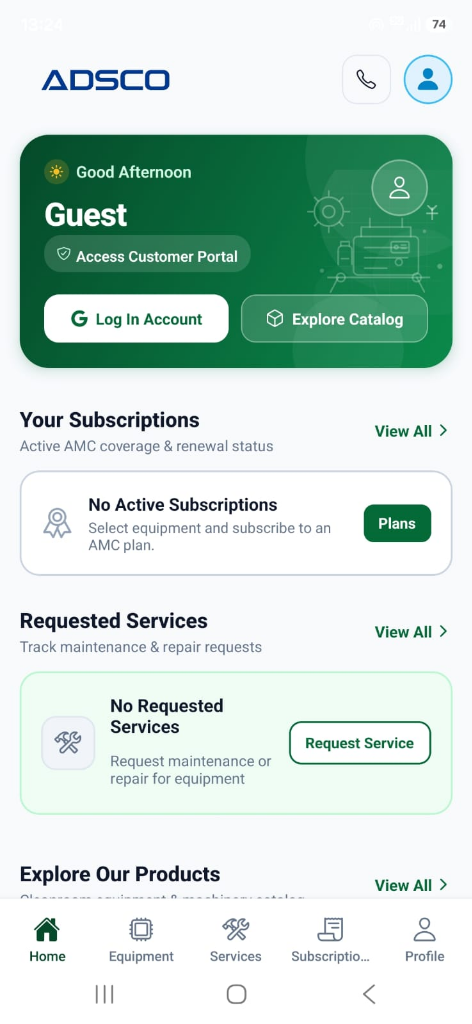
Engineered from the ground up for cleanroom technicians, pharmaceutical plant engineers, and maintenance managers.
Overview of active AMC subscriptions, renewal status, requested service tickets, and fast machinery catalog navigation.
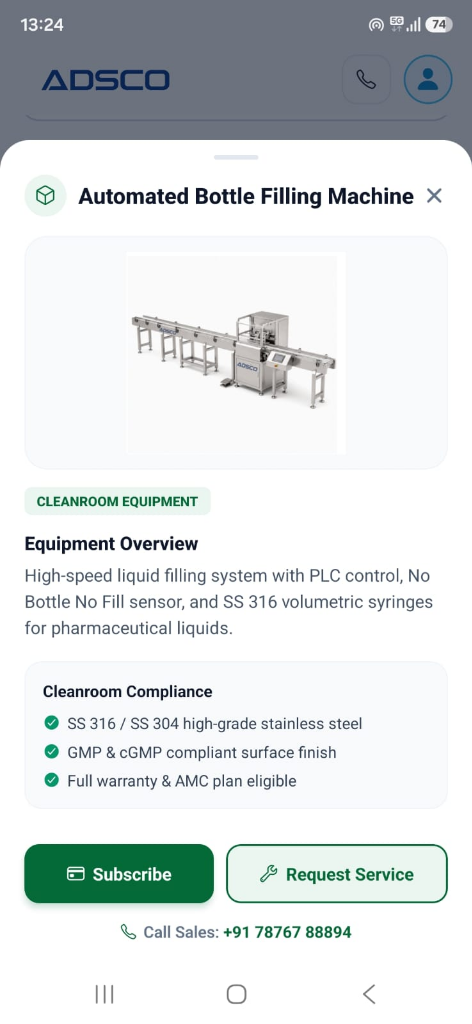
Deep dive into automated filling systems, SS 316/304 cleanroom compliance, GMP finish, and 1-tap service booking.
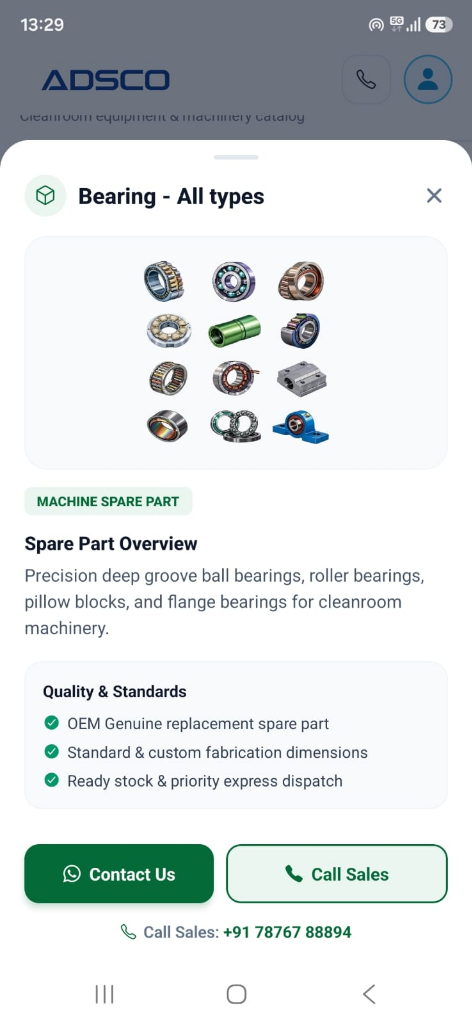
Browse genuine replacement parts, ball bearings, pillow blocks, and connect directly with sales via WhatsApp or phone.
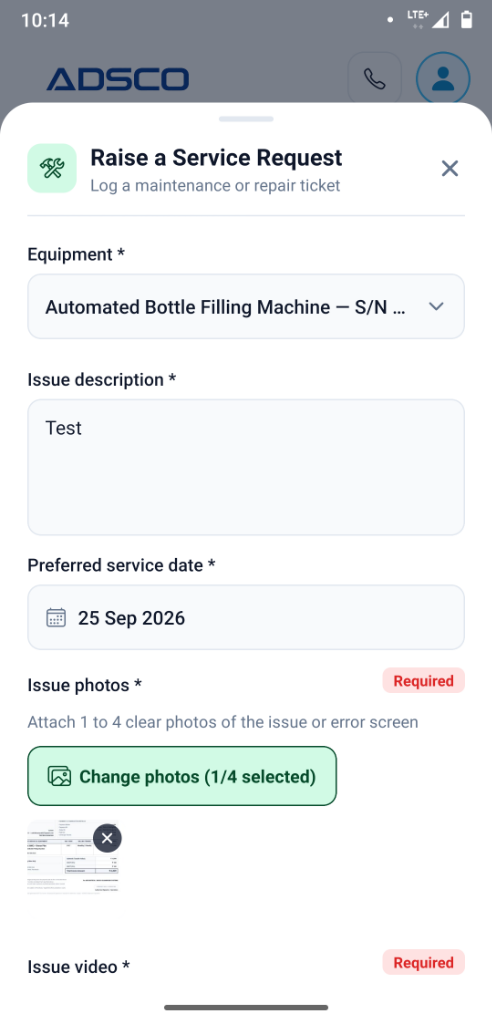
Select serial numbers, describe malfunctions, choose service dates, and upload error photos & video for rapid dispatch.
Follow these 4 simple steps to install the APK directly onto your Android device in under 2 minutes.
Tap the Download APK button. The file will be saved to your phone.
Swipe down your notification bar and tap on the completed download notification, or find the APK in your phone's Files or Downloads app.
If Android shows "Install unknown apps", tap Settings and toggle on "Allow from this source" for your browser/file manager.
Tap Install on the confirmation dialog. Once installation completes, tap Open to start managing your equipment!
Official Release Technical Details
Everything you need to know about downloading and installing the ADSCO mobile app.
This is standard Android security warning shown whenever you download any .apk file from a web browser instead of the Google Play Store. The ADSCO APK is digitally compiled and signed directly by ADS Biotech. It contains zero ads, malware, or unwanted trackers. You can safely tap "Download anyway".
Direct APK distribution provides immediate rollout of critical features and emergency repair dispatch updates directly to our cleanroom clients without waiting days for commercial store approval cycles. It also guarantees direct privacy between your plant operations and our engineering service desk.
Whenever an update is released, you can download the latest APK directly from this page. Android will seamlessly update your installed application while preserving your login session and stored machine preferences.
Yes! You can explore the cleanroom machinery catalog, inspect technical SS 316/304 specifications, and browse OEM spare parts as a Guest. Logging in is only required when linking your active AMC contract or submitting breakdown service tickets for your registered machines.
Our engineering support desk is available to assist you. Call our direct hotline at +91 78767 88894 or contact us via WhatsApp for live assistance.
Speak directly with an ADS Biotech engineering specialist or request an on-site consultation.